> ## Documentation Index
> Fetch the complete documentation index at: https://docs.npcbuilder.com/llms.txt
> Use this file to discover all available pages before exploring further.
# Quickstart
> Create a project, add context, and chat with your first NPC
Follow these steps to go from a brand-new account to your first NPC conversation.
## In-app setup
Sign in at
app.npcbuilder.com and click Add new project
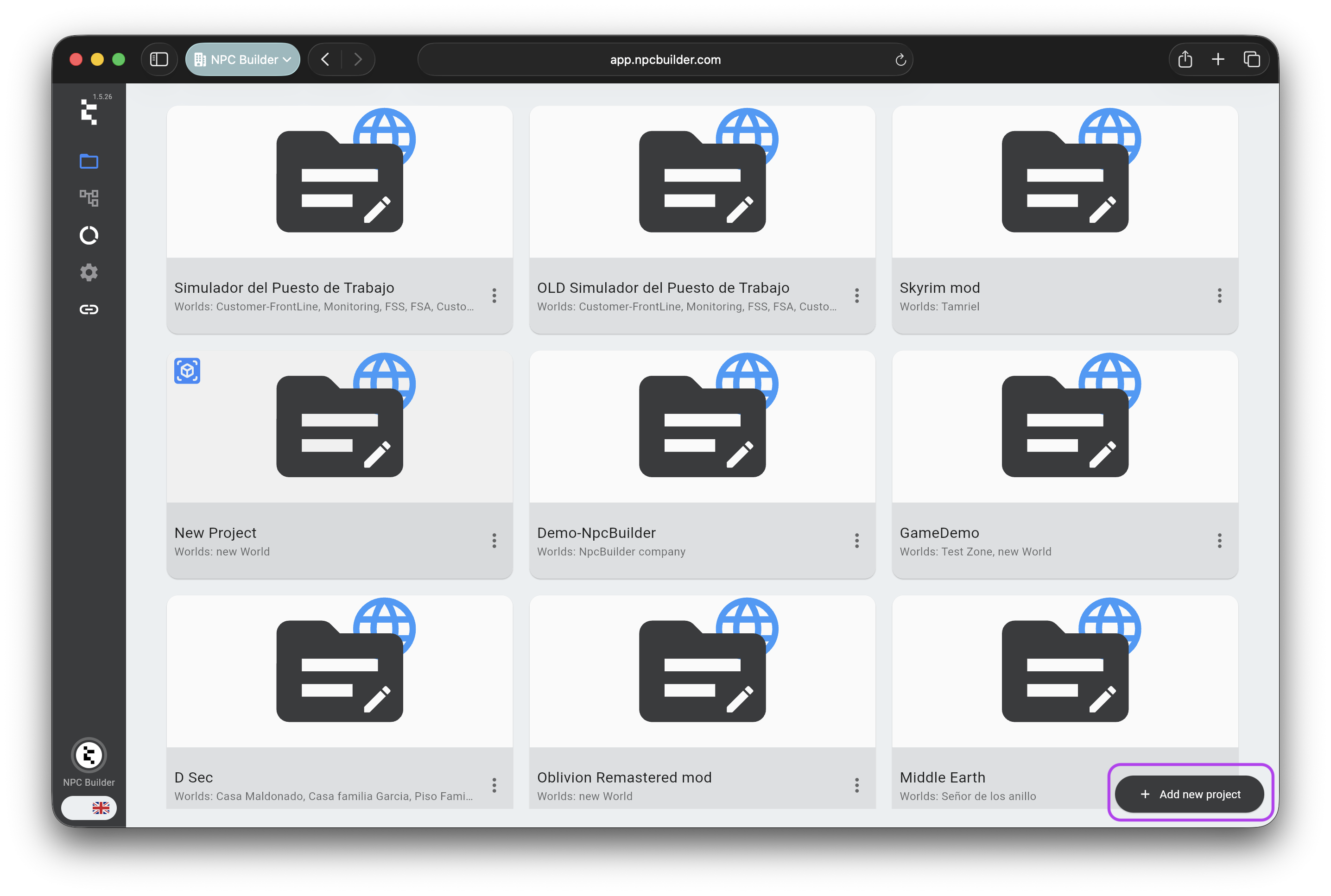 Then access the game and copy the generated
 GAME\_ID
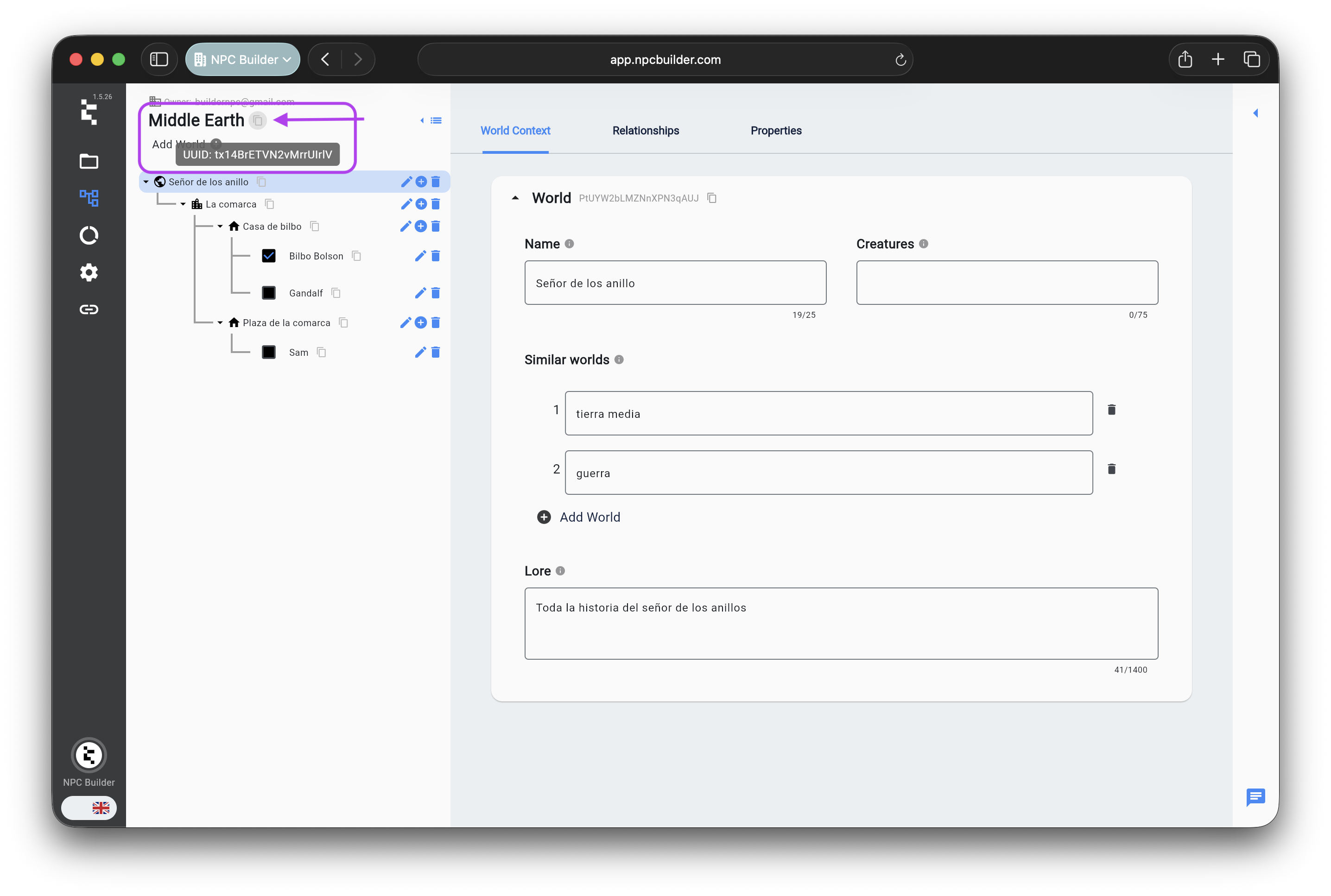 Inside the game, click Add World
; fill name and lore.\
Copy the
Inside the game, click Add World
; fill name and lore.\
Copy the
WORLD\_ID
.
Open your world → Add Region
(e.g. “Northern Kingdom”) →\
inside that region, Add Location
(e.g. “Capital City”).
In the location, click Add Character
→ fill name, description, role, traits, etc.\
Save; note the character\_id
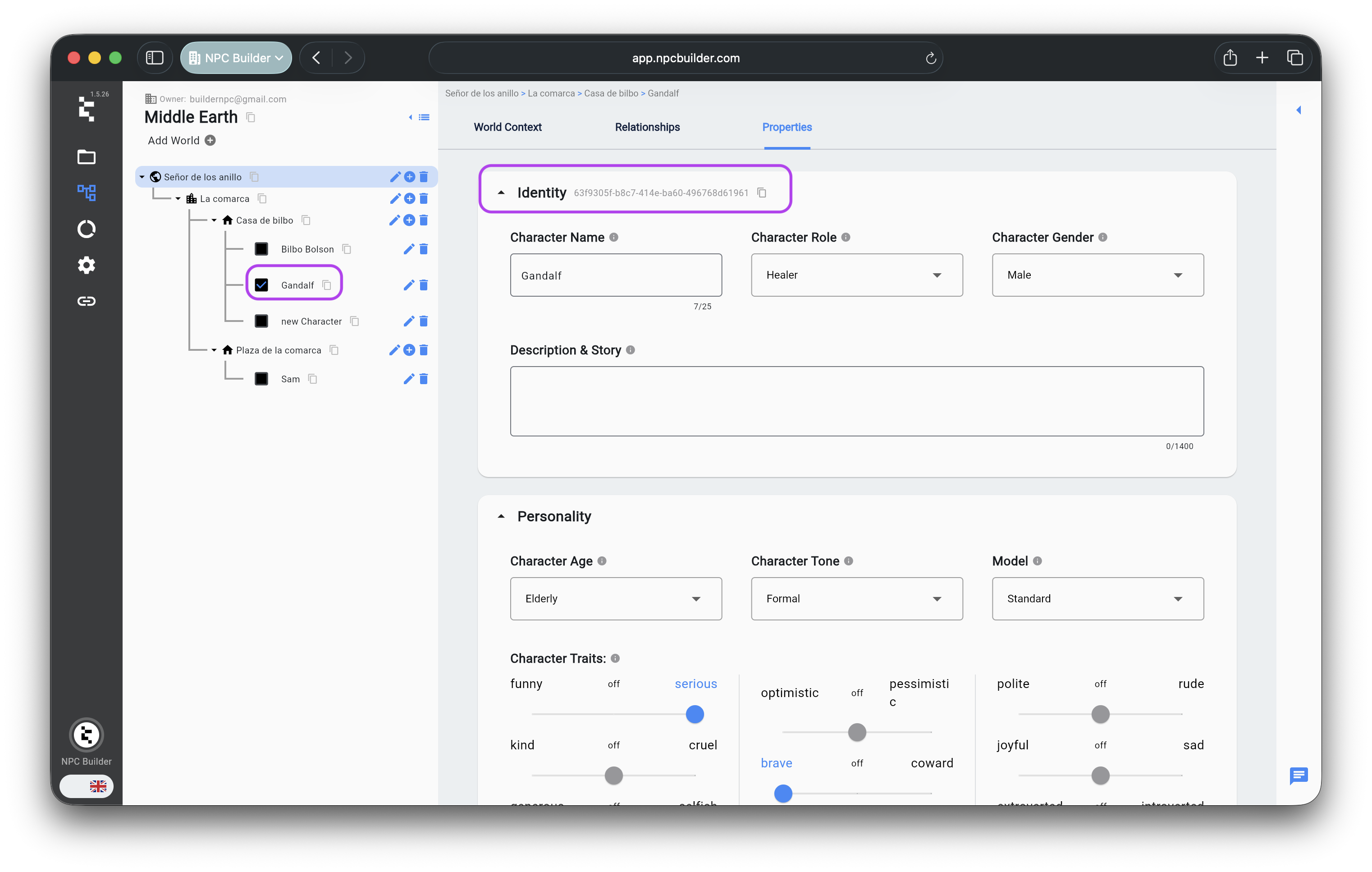 to use in the API.
On the character page, open the Chat
tab and send a test message—confirm the NPC responds.
## Generate credentials
Go to the developers section under graphics engine integration and generate Bearer Token
to use in the API.
On the character page, open the Chat
tab and send a test message—confirm the NPC responds.
## Generate credentials
Go to the developers section under graphics engine integration and generate Bearer Token
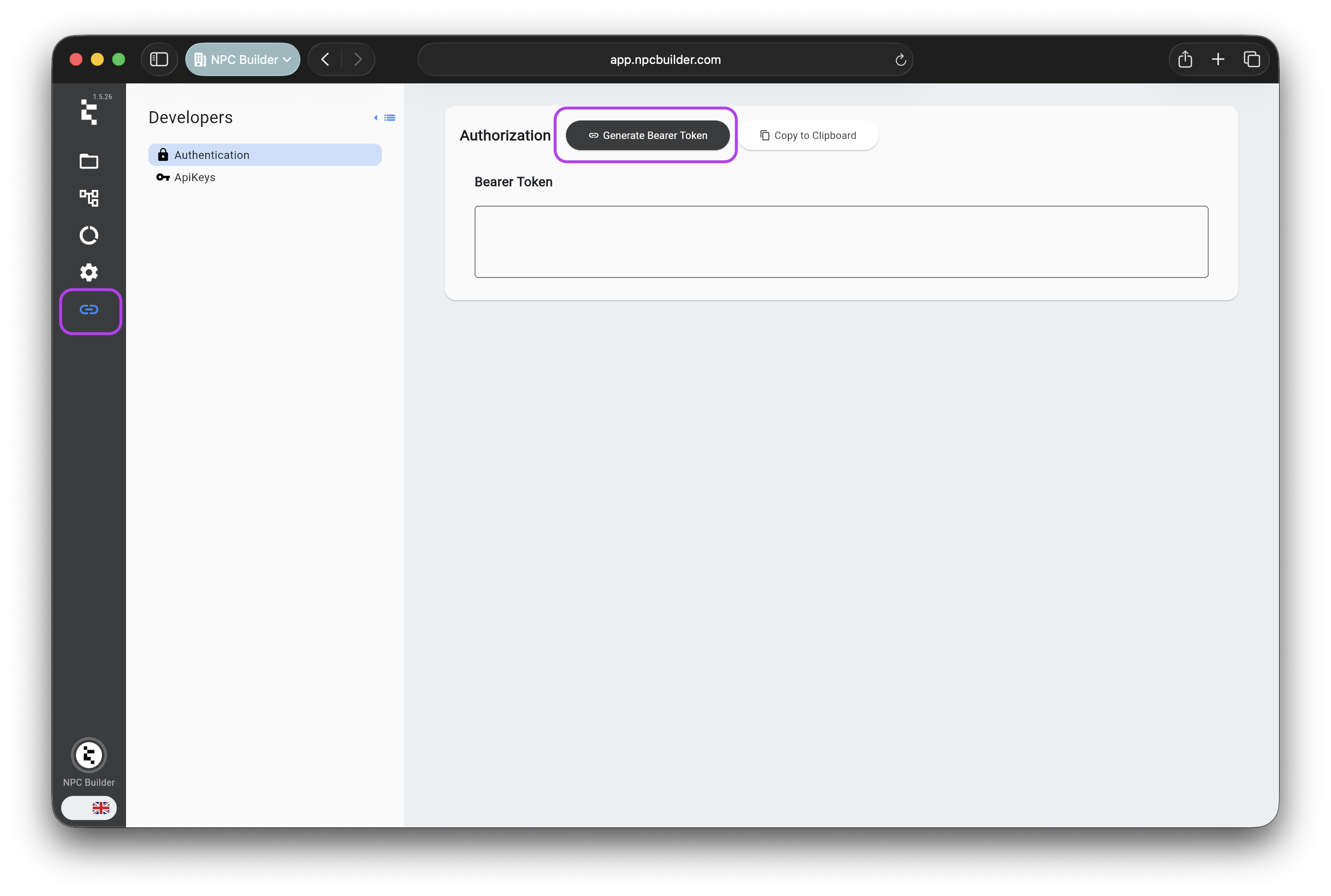 Use in header:
```http theme={null}
Authorization: Bearer YOUR_TOKEN
```
Still in Developers, you can create an API Key.
Use in header:
```http theme={null}
Authorization: Bearer YOUR_TOKEN
```
Still in Developers, you can create an API Key.
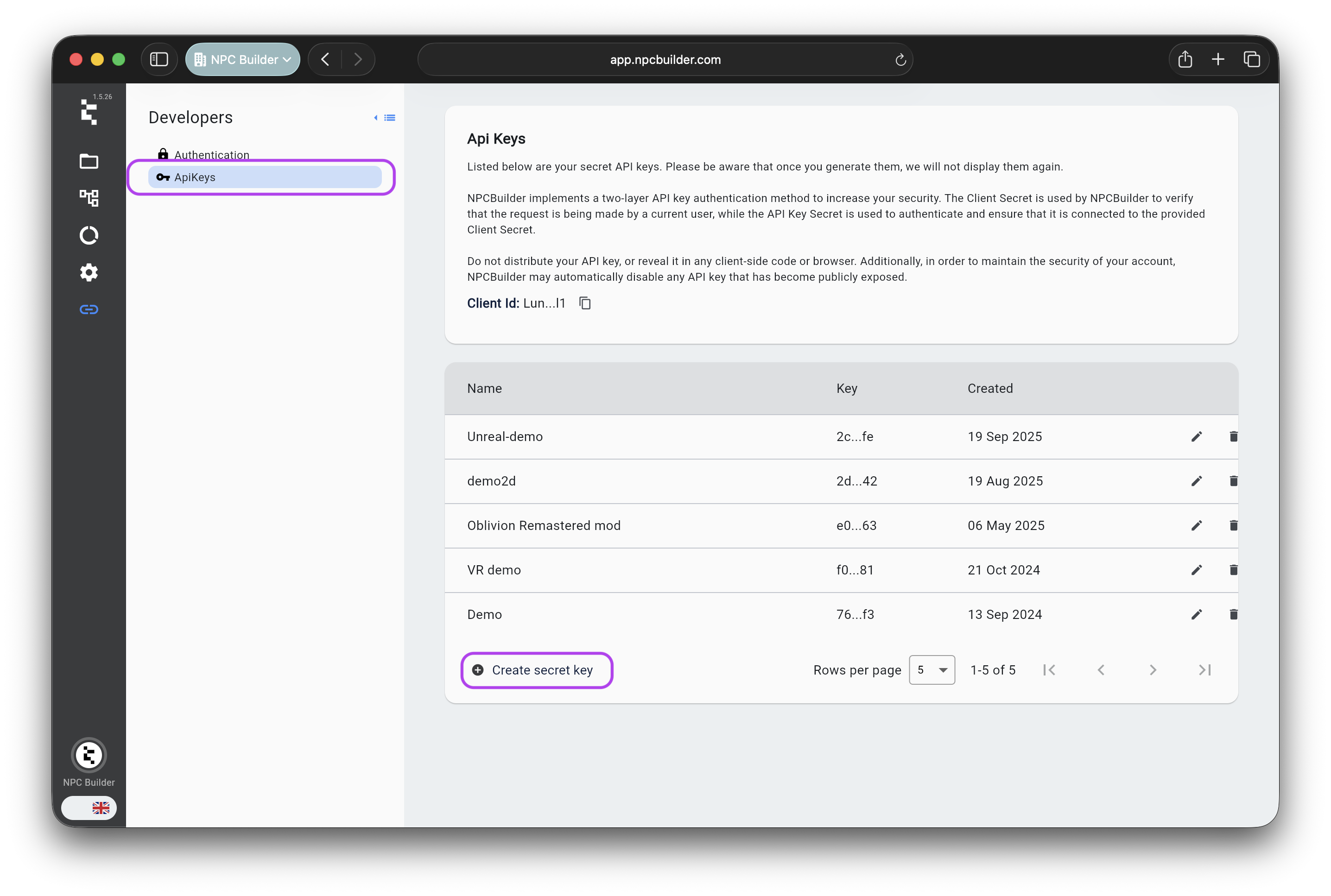 Generated API Key secret must be stored securely. If you lose it, you must delete it and generate a new one. We can't recover API Key secrets
Use in headers with combination of clientId and clientSecret (the generated api key):
Generated API Key secret must be stored securely. If you lose it, you must delete it and generate a new one. We can't recover API Key secrets
Use in headers with combination of clientId and clientSecret (the generated api key):
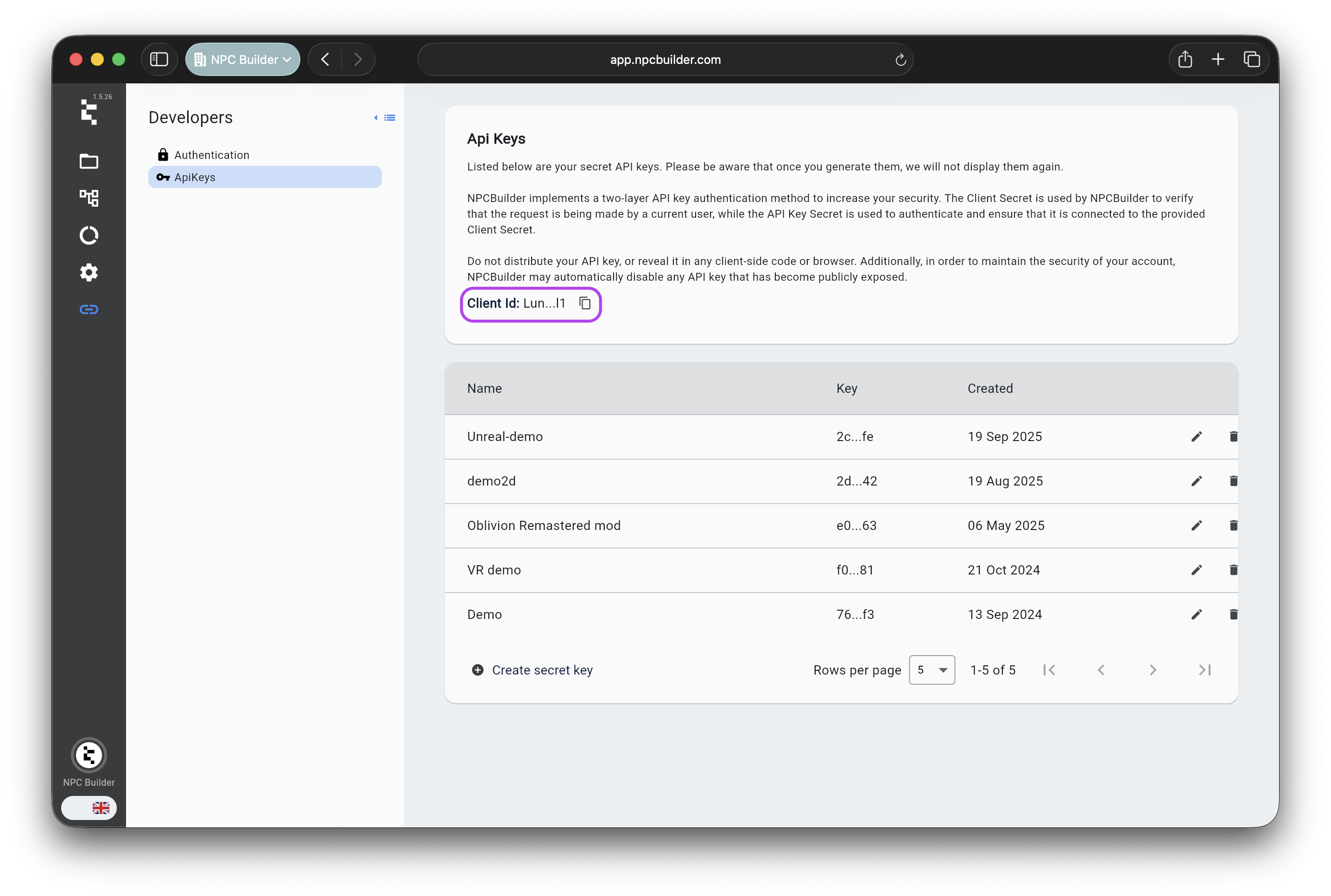 ```json theme={null}
{
"clientId": "API_KEY_ID",
"clientSecret": "API_KEY_SECRET"
}
```
## Call the Interactions API
```bash theme={null}
curl -X POST https://app.npcbuilder.com/api/interactions \
-H "Authorization: Bearer YOUR_TOKEN" \
-H "Content-Type: application/json" \
-d '{
"character_id": "CHARACTER_ID",
"game_id": "GAME_ID",
"world_id": "WORLD_ID",
"messages": [
{ "role": "user", "content": "Hello!" }
]
}'
```
### Expected JSON
```json theme={null}
{
"response": "Greetings, traveler!",
"user_events": [],
"character_events": []
}
```
Include previous user + NPC messages in
```json theme={null}
{
"clientId": "API_KEY_ID",
"clientSecret": "API_KEY_SECRET"
}
```
## Call the Interactions API
```bash theme={null}
curl -X POST https://app.npcbuilder.com/api/interactions \
-H "Authorization: Bearer YOUR_TOKEN" \
-H "Content-Type: application/json" \
-d '{
"character_id": "CHARACTER_ID",
"game_id": "GAME_ID",
"world_id": "WORLD_ID",
"messages": [
{ "role": "user", "content": "Hello!" }
]
}'
```
### Expected JSON
```json theme={null}
{
"response": "Greetings, traveler!",
"user_events": [],
"character_events": []
}
```
Include previous user + NPC messages in messages\[] on each call to keep context. Unity and Unreal plugins wrap these calls—see Unity or Unreal guides.